Police Work

I love Leonard Freed’s comment regarding his contact sheets in Magnum Contact Sheets “Police Work”:

“Contact sheets are mostly a waste of money, I find. 99.9 per cent of the frames on the contact sheet are mistakes one makes while photographing. Because it is a waste of money, I love them. There are things in life we must do just because we find them unprofitable”.

I couldn’t agree more.


My little Final Cut Pro X Review

Recently I have been editing the material I caught in Jeju in my new favorite tool, FCPX.

I really love the workflow in Apple’s new version of Final Cut Pro. The simple workflow makes a lot of sense to me. It’s so easy to learn and use that there’s almost no need for a manual.

I have no intention of going back to Premiere.

And FCPX really flies. By default settings, FCP does effects rendering in background, which is really cool; take a cup of coffee and when you return, you see the video is ready for smooth playback. Exporting is GPU accelerated which is wonderful, wonderful thing.

As a nice touch you can now just quickly drop in cross-dissolves in both audio and video; the same thing works for audio as a crossfade. There are many nice little touches like that all over in the application which gives the impression that the people who created it have actually thought about the needs of the video editors.

And VST & AU audio effects work fully with this application which is excellent thing; with most used video scopes and audio metering this really is fully featured video editing application.

It’s really easy to make a watchable DVD straight from FCPX although the process doesn’t give you much options regarding letter-boxing or fine tuning of menus. It would be nice to see some kind of mini-DVD Studio Pro bundled with this application. So It’s still necessary to have Toast installed if you intend to do any serious DVD authoring.

And it’s real cheap. Costing less than 300 dollars it’s a bargain, and with App Store you can now legally install it in multiple machines. Makes a lot of sense for small editing studios with multiple workstations.

There are however couple of things that I’d like to see fixed. One is that often the UI doesn’t refresh always properly when working in timeline. And sharing to Vimeo or Youtube works unreliably despite my fast optical (internet) connection. And if you unlink audio it seems impossible to relink it (I might be wrong, if I am please teach me).

And broadcast monitoring doesn’t work unless you have Lion installed.

Overall, I find FCPX joy to use. I can recommend this to anyone who has upgrade plans in mind.

Nakashima Hiroki: Land of Smiles

Yesterday I went to see Nakashima Hiroki’s photo exhibition Land of Smiles in Gallery NIW in Tokyo. I met the photographer in Dark Room Intl. in Yokohama before and had chance to see his work.

Land of Smiles is a collection of candid street portraits took in Thailand.

The portraits show natural connection between the photographer and the subject, and that, according to Nakashima is his purpose. The people looked at ease in their natural poses; the photos didn’t seem to be taken by a traveler, but someone local. Not a small achievement.

The sequencing of the photos as well as the technical quality of the photos were excellent, and show the obvious experience and skill of the photographer. I would also imagine Nakashima’s choice of the media, film instead of digital, is very conscious one.

Overall, the portraits had great variety and all of them had something special. In all of the photos the subjects seemed relaxed and at ease.

After I returned, it occurred to me that perhaps it was the last photo that gave me the final impact, the beautiful young woman dressed in white. The photo had a hint of sadness in it, what I especially liked, a photo that stood out from the others.

Without it, the smiles in the rest of photos might have lost their purpose. The sequencing is very important in any exhibition and the way how Nakashima organized his photos really made them shine, a skill what is only learned by doing.

Land of Smiles is a wonderful work of a human subject.

Visit Gallery NIW until 6/19.

Why I love Ektar 100

Ektar 100 is a ultra-fine grain color negative film, which is designed for outdoor and studio shots. According to wikipedia it is rated as semi-professional film (although in the box it says Kodak Professional). The old Ektar was discontinued in 1994; Ektar 100 is relatively new film, based in new technology.

The results I get with Ektar 100 are amazing. There’s tons of dynamic range in the photos while the photos are rich in contrast. Colors are vivid and very natural. Even with my EOS 5D Mark II I find it difficult to achieve result that would be similarly natural or pleasing.

The film seems to respond especially well to the outdoor light and the results are immediately usable. There’s something a bit extra there what could be the magic of the film. I find that attractive and kind of “honest” to the scene I am shooting. I suppose it has something to do with white balance, digital cameras do auto white balance (if you set them to do it) while with film you kind of get what you see or whatever the film is balanced to. Ektar is really close to the dream I have always had about the perfect photo in means of the color and mood. It’s easy to fall in love with this film.

This is ISO 100 film so in rainy days it might be quite difficult to get the proper exposure unless you bring a tripod. Ektar 100 is also used for studio shooting and product shots and in Kodak’s site they actually recommend this film for those uses, likely because the photos with last some serious enlarging.

Indeed it seems that Ektar 100 shots can be enlarged very nicely, as long the scans are made properly and are a good quality. To get the scans correctly inverted requires a profile from your scanning software for this emulsion. Without the profile Ektar 100 can be tricky to scan. SilverFast Negafix plugin does feature it which is the reason why I decided to get Plustek scanner which is developed together with SilverFast (of course SilverFast comes included).

Shooting film in general is very different from shooting digital and getting to know different film stocks is necessary in order to know in advance what to get. Ektar 100 delivers for me and it is quickly becoming one of my main tools.

flower boxes

254252_10151499796419614_548684529_n

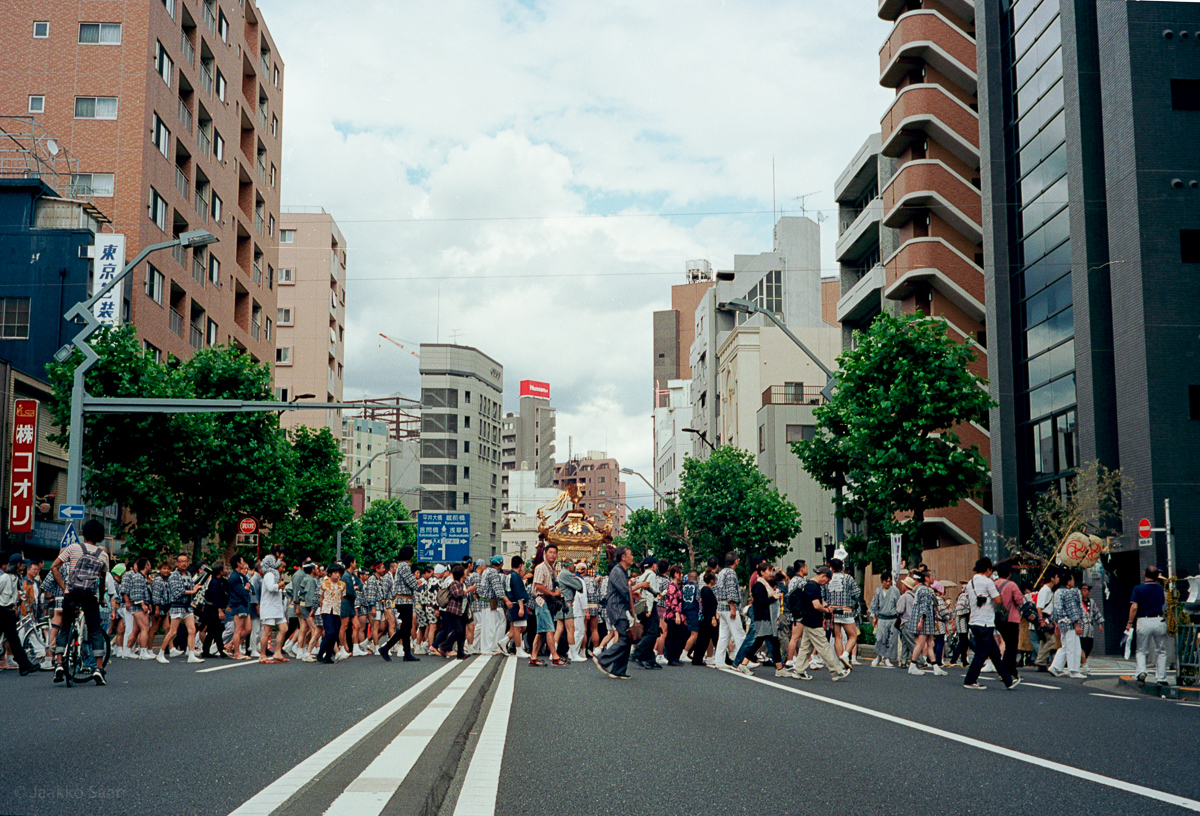
Matsuri

Misao the Big Mama and Fukumaru the Cat

Yesterday, I found Miyoko Ihara’s photo book “Misao the Big Mama and Fukumaru the Cat”. The photos are unique and heartwarming; I can feel the photographer’s intention clearly; the human connection between the cat and grandma.

In her website she says:

“My grandmother and her cat are always together. This is the photobook captured the everyday life of my grandmother, Misa who bends her self to the fields work with her cat Fukumaru.”

What especially delighted me about this book is what I call a kind of artistic honesty; Ihara doesn’t try to be artistic, the photos are simple captures of real life events, but are exactly that in creative and artistic way. Ihara’s framing and selection of subject feels very profound and honest; it must be the result of her years in Nippon Photography Institute that took her to this level.

Although I understand why some of the photos might be criticized as being a kind of cute, the meaning behind the photos is clear; they are honest description of human connection. Fukumaru is very unique, odd-eyed cat and his partner and the 87 years old grandmother whose eyes show experience of life are naturally suited to each other.

The life of this couple is well captured in their green, lush environment.

It’s remarkable what the photos show if you take a moment to really look at them. Sure they are cute photos, but they are also much more. It is unclear to me at this point whether the photos were taken digitally or with film camera, but in any case, the print is excellent with very rich and saturated colors.

Especially I was moved about the second last photo, a rainbow captured in a very beautiful way.

I highly recommend this photo book to anyone interested in photography.

Find out more about the photo book in:
http://www.littlemore.co.jp/enstore/products/detail.php?product_id=357

Voigtlander Bessa R3M In-Depth Review

Introduction

I have been a big fan of rangefinder cameras since my friend introduced me to his Leica M6 TTL. There is something magical about taking a photo with a rangefinder. It is very different experience. Unlike shooting with SLRs, you can view the scene during the exact moment when you take the photo; there is no mirror blocking your view.

Since I enjoyed the full manual operation of my friend’s M6, I chose the mechanical version of Bessa (the M in the name signifies the manual/mechanical version, R3A has aperture priority and is electronic in operation). You can shoot with R3M even if the batteries die. And even if the in-camera electronics would bite the dust one day, it’s still possible to keep shooting with this camera. I like that principle and I was willing to sacrifice the comfort of aperture priority mode for the sake of full mechanical operation.

Bessa is a popular camera here in Japan for film photographers. I’m not sure if it would be appropriate to call Bessa a poor man’s Leica but it is tempting to compare this camera to Leica M6 TTL since it’s similar in so many ways. I don’t have any information about exactly how popular the camera is, but at least two of my friends have it.

R3M is also a very portable and discreet camera (at least what comes to it’s size), making it a good tool for street shooting. When you hold it to your eye, people won’t get as intimidated as if you are holding a weapon-like SLR.

Today’s Voigtlander cameras are manufactured by Cosina company in Japan, and have nothing (except name) to do with Johann Christoph Voigtländer’s company. Nokton lenses are also manufactured by Cosina in Japan.

Operation

Operating Bessa R3M is comparable experience to Leica M6 TTL. It is a delight to to use and handle this camera and the Leica-like rangefinder magic is fully present. The rangefinder patch is bright even in low-light conditions and big enough for accurate focusing.

Bessa’s 1:1 viewfinder is bright and very easy to use. Since it doesn’t magnify, it allows you to shoot with both eyes open. The camera has 40/50/75/90 frame lines which must be manually set by using the switch. The camera won’t recognize the coding in Leica’s M lenses.  Frame lines are parallax corrected just like in Leica and move as you focus.

40mm frame lines are kind of hard to see because they extend so far into the corners, so it might take some getting used to. There are no exact 35mm frame lines in R3M, but setting the camera to 40mm lines and anticipating the 5mm difference might not be such a big deal.

TTL center weighted metering turns on automatically when you press the shutter half way. Unlike in Leica, you don’t need to turn the camera on or off. This is likely to save some batteries. The metering has plus/minus scale of exposure in steps of 2, 1.5, 1, 0.5. It’s more informative than Leica’s simple arrows, because you get instant feedback how much you’re off from the optimal exposure. But this is a matter of taste. I can also understand why many prefer the Leica’s super-simple led arrows.

In my tests, I found the metering to be very accurate.

Bessa has maximum shutter speed of 2000 which is high enough for the most situations, although ND filter might be necessary if you want to open up the lens in bright conditions.

It is true that R3M’s shutter is kind of loud. It sounds like SLR shutter (it actually comes from Cosina’s cheap SLR line). This might become problem if you shoot in quiet places and the shutter sound might be one reason to choose Leica over Bessa, since it’s shutter is much more discreet.

This might also have something to do with the fact that Bessa R3M has dual plane shutter.

Bessa has no timer, but the shutter button accepts a standard mechanical shutter release.

Loading film is also very easy, perhaps easier that it is in Leica. With Bessa you don’t need to remove bottom plate to load film. Just move the switch on top plate back and pull up the film rewinding crank, and the back pops open. The switch on top plate should prevent accidental opening of the camera.

Winding back the film is easy. It requires pressing the film release button on the bottom of the camera and winding the film back to the cartridge with the crank. I would guess that the mechanism is more robust than M6, because the crank is not angled but straight; less mechanical parts.

Build Quality

I found Bessa’s build quality to be very good, if not as rock solid as Leica. The camera is mostly made of metal, except the back door. It feels comfortably solid and heavy, and it has some of that “real camera” feel. The camera feels very well balanced in my hands. It’s easy to carry this camera with one hand, so neck strap might not be necessary.

Shutter button and film forward lever are made of metal as well as film rewinding crank and shutter speed dial and they feel very robust.

The markings on the camera are painted and not engraved on metal (except shutter speed numbers). If one finds the top plate logo annoying, it might be relatively easy to remove it.

I have read some reports of small screws of the bottom plate becoming loose, so it might be good idea to check their tightness every now and then. But overall, if you want better build quality than this in a film rangefinder camera, Leica is the only option.

The strap connectors are positioned strangely a bit on the front side of the camera, so the camera doesn’t quite hug your body while you’re carrying it, but makes the camera’s lens to point to the sky in 45 degree angle. Although this camera has a double focal plane shutter to prevent damage from the sun, I would recommend caution. Strangely the weird positioning of the strap connectors seem to highlight this risk. My recommendation is to either use lens cap, or carry the camera so that lens faces your body in sunny days, like most pros do with their RF cameras.

Overall, it must be said that Bessa is a solid and very well built camera.

Conclusion

Bessa R3m is a reasonable cost alternative for Leica, plus it accepts all wonderful Leica’s lenses (but has no built-in 35mm frame lines). Bessa R3M with Nokton 40mm lens might be good option for those who want to try manual rangefinder photography for the first time. It’s also generally good idea to invest into M-mount lenses; should you upgrade to Leica one day, you can still use the same glass.

R3m offers full manual shooting experience. The camera is mechanical and only electronic part of the camera is the metering which can be turned off by removing the batteries.

The photos I took with 40mm 1.4 Nokton lens compare very well against the shots I took with Leica M6 TTL, they are similarly crisp and sharp, but that should be mostly if not entirely due to the lens and film.

The size of Bessa makes it also very portable. The camera is almost as small as Fujifilm X100, although almost twice as heavy. I personally like the reassuring weight of this camera, which makes it to feel like a solid tool.

I really recommend this camera for anyone who wants to get into the wonderful world of rangefinder photography, but are on a budget or hesitate to invest into Leica.

See the gallery below for my shots with Bessa R3M and Nokton 40mm 1.4 lens.

Three Months with Fujifilm X100

I have been using Fujifilm Finepix X100 for three months now. I’d like to give a kind of update of how it’s been.

After I got X100 and the replacement unit since the the original copy of the camera got the infamous stuck aperture issue, I’ve been shooting photos with it in daily basis. X100 has became my primary camera, the camera that’s with me everyday, pretty much where-ever I go. And like Chase Jarvis says, “the best camera is the one you have with you”. In my case, it has been the X100.

After I updated the camera’s firmware into the latest version, I noticed speed increase in autofocus and also some of the fixes of the quirks in the UI. The menu is still what it is, and the control wheel on back is flimsy, but at least there is that dedicated ISO button that saves you the dive in the menus.

I just love the JPG’s straight out from the camera; the in-camera processing is just great. The sharpening is set just right, the output is very crisp but clean, and free of any artifacts. And if I shoot RAW, I can process the RAWs inside the camera.

I still haven’t got around in installing the included RAW processing software that came in the CD’s..

I love the film simulation of the camera. It’s more than a gimmick, it really makes sense, Velvia and Astia look just like their film counterparts, the effect is subtle enough not to make irreversible changes in the images, but still packs a punch.

Sure, I prefer to do the monochrome conversion in Aperture because then I can have full control over the RGB channels, so I actually never use the in-camera monochrome setting, although that might make sense for some.

The number one feature of this camera, what I’ve gotten used to, is of course the excellent optical viewfinder. I use EVF or LCD only when shooting macros.

Of course, it doesn’t compare to shooting with range finder, but the OVF is really best I’ve ever seen in compact size digital camera. The frame lines work perfectly and when you set up the automatic parallax correction including correction of AF point, you can pretty much forget that the (parallax) phenomena ever existed. And you can even see live histogram in OVF as an overlay if you choose so; OVF overlay is excellent and unique innovation from Fujifilm.

The manual controls are excellent in daily use, especially the aperture ring and shutter speed control dial. Set either of those to auto and you get shutter speed or aperture priority. Very, delightfully “analogue” process.

Strangely, I find that there’s really not so much need to use the menus under normal outdoor conditions when shooting.

In my extensive tests, I find the battery life of X100 to be very good. In my normal shooting conditions I always shoot with OVF and I’ve taken like 300 pictures and never exhausted a battery yet. I keep extra accessory battery in my pocket just in case.

One thing worth noting is that unlike in Canon SLR’s, the USB port is not standard mini-USB port, but something which seems unique to Fujifilm’s camera. So it’s better not to lose that cord.

I bought the EF-20 external flash unit for this camera and I find it a very nice little flash. It packs enough punch and allows tilting upwards 90 degrees, great for those indoor parties and events with white roofs. The larger version of the flash also allows swiveling, a pro feature.

Overall feeling after three months of daily shooting, I just love this camera. The image quality produced by the custom glass and sensor is just great. X100 is almost completely silent, professional quality camera in a very compact package.

Looking at Leica M6

My ex girlfriend used to carry her M6 with her at all times but she rarely let me touch it. I merely envied her from a distance while she shot beautiful shots with her rangefinder camera. She always talked about “spirit of a photography” and she never carried a digital camera with her, unless she was shooting for a job. I suppose it wouldn’t be too much to say that like for Cartier-Bresson, her Leica was extension of her eye.

My friend borrowed me recently his Leica M6 TTL with 50mm Summilux ASPH.

I am moved, and amazed by this classic, legendary camera.

50mm Summilux ASPH lens has a focusing tab which allows quick focusing with index finger. It feels just right and for me the tab makes huge difference. Only in few days, I learned to approximate distances and adjust the focus roughly, only requiring a fine adjustment when lifting the camera to my eye. Same goes with metering. When shooting with a camera like this, you learn quickly to read light.

Although this camera has metering, the camera works perfectly without any electricity. I assume that pros who use Leica might not even use the metering since the red arrows in viewfinder might only be a distraction.

The viewfinder of M6 is best thing I’ve ever seen and beats my 5D Mark II and Fujifilm X100 viewfinder in clarity and sharpness. Rangefinder focusing is a pleasure, especially after you learn not to block the rangefinder window with your finger while holding the camera..

M6 is also the most solid camera I’ve ever handled. Although this means also that the camera is probably the heaviest compact camera of it’s size, the solid construction has it’s benefits. This is a camera you can take into a war. Brass (or zinc) is really strong material, and the camera is perfectly balanced. It’s very easy to hold this camera steady when shooting and this will result in sharper photos.

You have to hold one in your hand to understand. This camera is built to last a lifetime.

The mechanics of the camera feel assuringly strong as well. Pressing the shutter results a satisfying click, which is not too loud or disturbing. Although my friend’s camera came with a motor winder which is very silent and fast, I realized I rather prefer manually advancing the film by using the lever.

Although loading film is a bit of a nuisance, I find something honest and precise about loading Leica M6. It’s simply built to be as fool-proof as possible.

Since this is a full frame camera (35mm film), 50mm lens gives you plenty of coverage but also plenty of bokeh.

I think 50mm ASPH is probably the lens I would buy for Leica. The lens is razor sharp and I was unable to detect any kinds of artifacts in the image. Even the widest F1.4 aperture is tack sharp. I can’t imagine any kind of lens of this size (being F1.4!) being that sharp wide open. The nine blade aperture gives creamy, soft bokeh. Also the transition between focus and out-of-focus areas is beautiful and natural.

Overall, there is something very natural about the image quality of Leica.

Since the price of M6 came down recently, this camera seems very attractive option for many photographers. Sure, dealing with film is troublesome and also expensive if you shoot a lot.

But if you are serious about photography, I really recommend at least trying out photography with a rangefinder camera. There is something beautiful and artistic about the process of setting everything manually, and it’s possible to find entirely new aspects of photography when shooting with a classic camera such as this.

Unlike when shooting with SLR, nothing will obstruct your vision when you press the shutter. It’s possible to feel much more connected to the scene you’re shooting.

If Cartier-Bresson would be still with us, I would imagine he’d still carry his Leica with him. In today’s world of digital cameras it’s refreshing and delightful to shoot with a camera designed so meticulously to fulfill a single purpose.

Leica M6 is not a calculator. It’s a camera.

Icelandic Honeymoon

Yosuke Kakegawa & Kimiko Mori’s Icelandic Honeymoon is interesting work which suffers from being too cute. I like the overall expression, but don’t understand the shots of McDonalds meals or airplane wings. This could have been much more. Currently, too much conservative and obvious. However, color and overall feel of the photos is great, although a bit like watching a commercial.

Fujifilm Finepix X100 Review

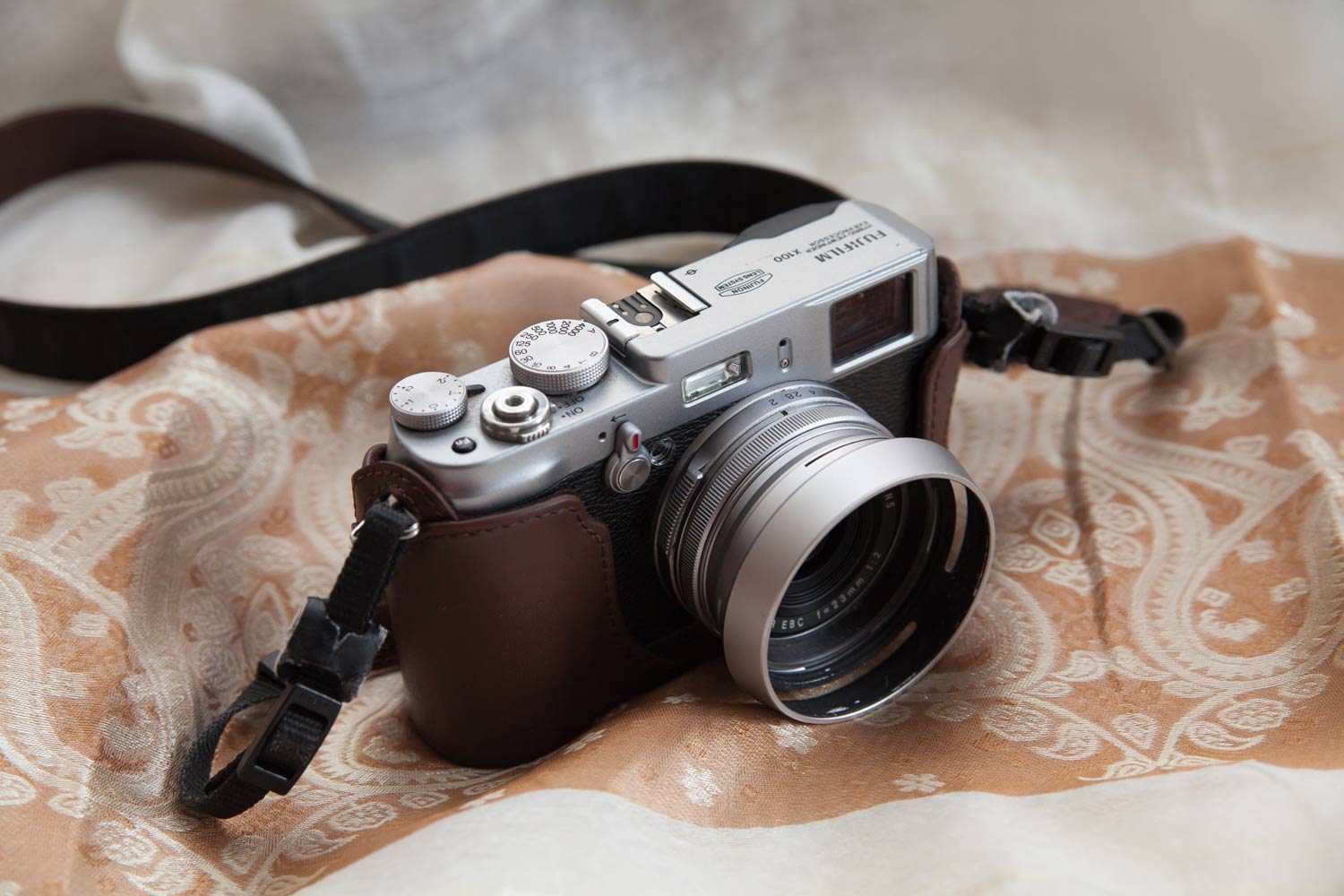
Fujifilm Finepix X100

Updated June 11, 2015

Introduction

I have been using Fujifilm X100 now for more than three weeks three years. The first copy of the camera I got had the infamous stuck aperture issue, but I got a replacement one from the retailer. The “stuck aperture” issue seems to be very common with X100 cameras as noted by several blogs. It seems there is some design flaw in the aperture mechanism that plagues the original X100 series. So if you are buying this camera second hand I recommend to check that aperture is closing properly at F16, so that if there’s issue, you can get replacement one, rather than having to wait the repair.

I have always liked shooting in rangefinder style, adjusting the dials while I hold the camera to my eye. The 35mm (equiv.) focal length and large APS-C sensor were strong selling points for me as well. I have never really needed zoom so I don’t care the lack of it. I rather choose the optimized optical quality of the lens.

I also like the Fujifilm’s brave decision to make camera like this. Some of my photographer friends told me “Why don’t you just buy Sony NEX like everyone else and get on with your life?”. I guess it’s spiritual thing. It’s a strange camera, in a good way.

Operation and Handling

The camera has three main control dials, aperture control ring around the lens (with tabs), shutter speed dial and exposure compensation dial. All of them are milled from solid metal. X100 feels very balanced and easy to hold. The black thing around the magnesium alloy body doesn’t seem to be made of leather, although the camera manual claims it to be, but it provides good enough grip for one handed shooting. I can’t imagine a camera body more solid than this, except maybe Leica. The fit and finish is very good. The numbers on dials are engraved into metal and so is the Fujifilm logo on the top plate.

There’s “focus-by-wire” manual focus ring in the lens, but it takes too many turns to change the focus and there’s pretty bad lag. (1) I tried it couple of times before accepting the fact that this is “autofocus camera”. While it might be possible to shoot full manual with this camera, the MF lag is a painful reality.

Autofocus is pretty fast and accurate. It is based on contrast detection so it won’t compete with DSLRS (with phase detection) in terms of speed, but it it is accurate. The camera has also bright as hell “hey look I’m shooting you” AF assist lamp, which can be turned off in the menu. (2)

Great thing about X100 is that you can shoot even if AF is not achieved.

When in manual focus mode there is also a depth-of-field indicator, which shows the depth of field in distance scale as a white bar visually, which is a very handy feature. Many photographers decide to use the manual mode and press the AFL button to autofocus, and then fine tune the focus by the ring. What’s good about this is that when pressing the jog dial on top of the camera, you get 100% crop on EVF in the viewfinder momentarily which allows you to check focus. Press it again and you’re back in the OVF. Cool.

Metering has three modes, multi, spot and average. Average metering mode is especially suitable when using OVF. It tries to balance the image so that nothing gets overexposed. When you want to really compose the lighting, switch to multi or spot. I keep mine in the spot mode and never even touch others.

I find the camera’s metering to be simply great.

Shooting with this camera feels intuitive, most due to the hybrid viewfinder, which turns on automatically when you bring the camera to your eye. X100’s real trick is that it can overlay the shooting information to the optical viewfinder. So you get best of the both worlds, optical real world image, plus all necessary information with live histogram if necessary. Frame lines and AF are parallax corrected.

Flicking the switch on front of the camera, you can change between EVF / OVF. When shooting macro the camera defaults automatically to EVF, which makes sense due to parallax. Although I’m not big fan of the “TV inside your camera feel” of the EVF, it gives you 100% coverage, so in some occasions it might be great. (For example when shooting in dark and the bright LCD might disturb someone)

On the downside, the default setting of the camera will turn the OVF into EVF for a moment after each shot, showing the preview image in the viewfinder. The preview image can be turned off altogether, eliminating the nuisance, but then the camera won’t show the preview image on LCD either after each shot. Many find this annoying.

As it’s widely reported in web reviews, menu layout and the command dial on the back feel less intuitive. The light plastic command dial is flimsy, although the buttons are not bad. If you take the mindset of trying to avoid using the menus altogether, you certainly can. The FN switch in the top can be customized for quick access of many of the features, although I think most people leave it to default, which is ISO setting. But simple thing as engaging ND filter does require you to dive in the menus, so indeed, it’s a bit annoying that I have to browse every time I need to access such feature. It’s strange that Fujifilm has placed things such as operation sound effects in higher priority than Auto ISO control etc.

But after you memorize the menu items, you can certainly workaround the poor UI. It didn’t ruin the experience for me, and under normal conditions I don

The in-camera flash is surprisingly good. It is clearly adjusted and designed to function as a fill in flash. Although it shoots right to the face, actually this is one of the best in camera flashes I’ve seen. It is meant to provide a slight extra punch to the image just when needed, but remember to unscrew the lens hood if using it.

In X100 there is no dial with “typical A, P, SCENE” etc. If you want aperture priority mode, turn the shutter speed dial to A, and choose aperture by the aperture ring, and you’ve got aperture priority. And vice versa for shutter priority. I find this delightful. But this is also the reason why I wouldn’t recommend this camera for a beginner since there are no modes such as “creative auto”, etc.

Image quality

This camera produces very high quality photos, just as reported in web reviews. I find this camera to produce sharper images than EOS 50D coupled with mid-range Tamron lens. I love how Fujifilm decided to keep the sensor at 12 megapixels instead of trying to compete with the cameras that offer larger megapixel count. Therefore the ISO performance is really good, perhaps one of the best in the market in APS-C sensor cameras. ISO 1600 is totally usable and if you like to shoot black insects in coal mines, you can punch it at least up to 6400 and still getting pretty usable images. The noise reduction is also pretty good and doesn’t result in bad artifacts.

X100 can process RAWs inside the camera. DPreview mentioned that the in-camera processing is even better than the result got with the included software and I second that, since it’s in-camera you can do it without computer. This camera has in fact best in-camera processing I have ever seen. (3)

The film simulation can mimic Fujifilm’s Provia and Velvia films, and this feature is more than a trick or “art filter” ; it really makes practical sense and is slight enough not to be intrusive. The image quality is great when using the any of the film simulation modes, so all is well there.

Other Shooting Modes

There isn’t much to say here. There’s bracketing modes including film simulation and ISO bracketing, “motion panorama” , which produces OK panoramas and artifacts if there are much movement in the scene, and 720p 24fps movie mode which is OK, but suffers from the lack of image stabilization.

Continuous shooting is possible at 5fps (up to 10 jpgs and 8 raw’s) or 3fps. Writing of the images to the SD card will take some time.

Accessories

Expect to pay 3000 yen + if you intend to attach any filter to this camera. Filter adapter ring or lens hood are not included with the camera and must be bought separately.

The lens hood kit includes filter adapter ring but it costs whopping 10,000 yen. The lens hood and adapter are made of aluminum and are very high quality, just like the lens cap. By the way, neither the lens cap or leather case cover will fit over the filter adapter or hood.

The leather case is classy but costs 10.000 yen. Because of the fitting issue I ended up using only the bottom half of it for better grip and some extra protection.

I also bought the smaller version of the external flash, EF-20. It’s very compact and tilts upwards 90 degrees. The bigger brother also swivels and provide more power. EF-20 is very useful when bounced from the ceiling.

The battery charger is a bit weird with loose plastic piece that’s required to charge the battery. It seems very odd move from Fujifilm. Also the symmetrical shape battery can be placed in the camera and charger in four different ways (and only one being the correct, of course) so it takes some practice. The battery NP-95 offers reasonably good amount of shots but recharging is rather slow. Getting a spare is a good idea.

The included mini USB cable is NOT a standard mini USB cable, but unique Fujifilm cable, so don’t lose it!

The camera also supports good old mechanical shutter release. (4)

The camera manual is written in batshitcrazy-lawyer-english. Although it explains the operation of the camera it doesn’t really provide much useful tips for actual shooting.

Final Word

There’s something almost spiritual when shooting with X100. It just feels right. It’s possible to operate the most important settings while holding the camera up to your eye and there’s a lot of this analog “tactile feel” to the camera’s dials. It’s almost shocking to use DSLR after a shooting session with X100. The experience is that good.

It would be wrong to compare this camera to Leica M9, since the camera is totally different and also in different price range. But those who long for the good old range finder days might find some salvation in this cool retro camera. And X100 pleases the eye. (5)

I recommend this camera for any advanced amateur/prosumer / photography enthusiast. It’s more expensive than other cameras with APS-C sensor but it offers luxury of great hybrid viewfinder, high quality lens, beautiful design and a nearly silent shutter.

This is not a compact camera but a serious tool for artist who wants manual control over his image, but also portability and small form factor.

[vc_separator type=’normal’ position=’center’ color=” border_style=” thickness=” up=” down=”]

Notes:

    1. With the latest firmware update the manual focus works much better. It might not be the best feature but it definitely works, especially with the focus peaking which was introduced by this update.

  • The firmware update also improved autofocus accuracy and speed somewhat.


  • I nowadays only shoot RAW with X100. Lightroom can process these raws very nicely a quality that’s very very good.


  • It’s so nice.


  • So many people made comments about my camera’s looks, asking “is it a film camera”. They still do, even though the retro style is pretty popular nowadays with compact cameras. It’s a pretty nice looking thing.